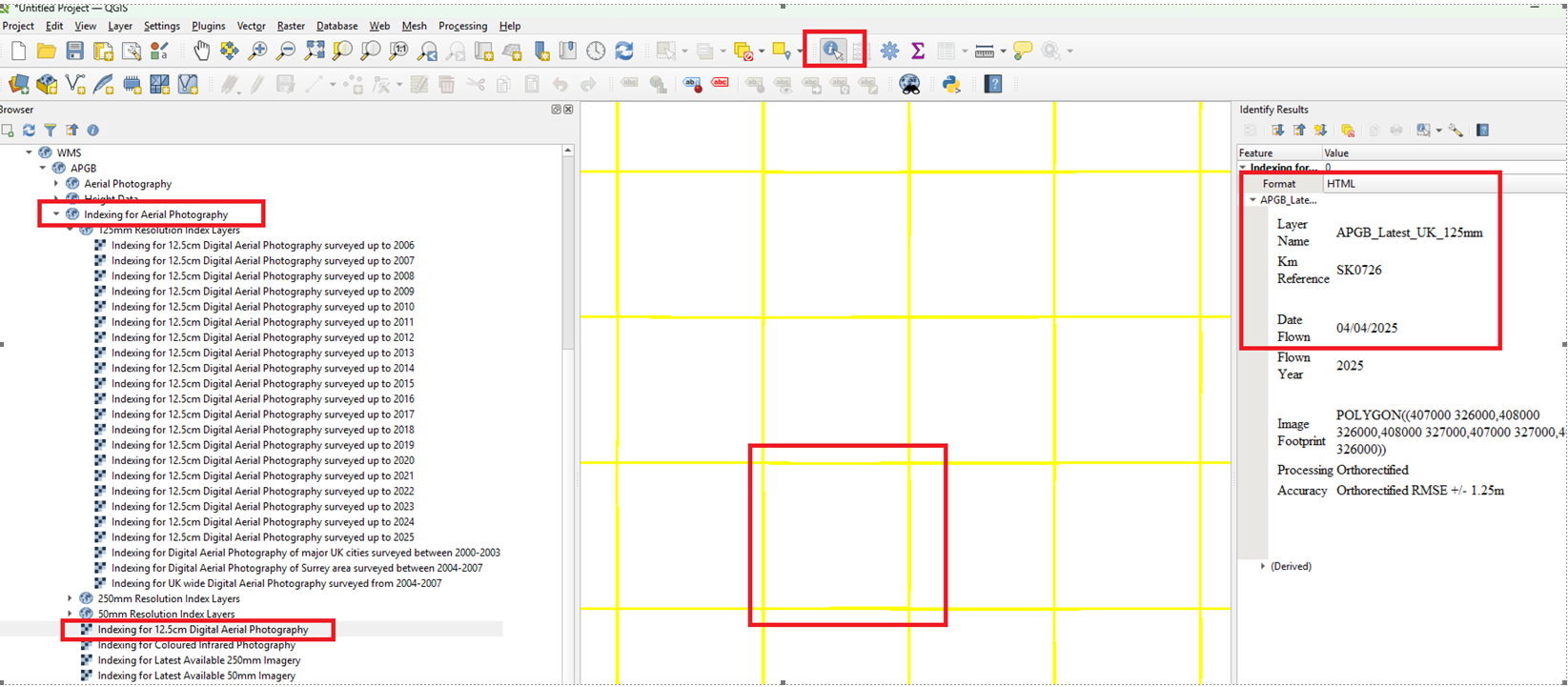
The dates of capture are found in the Index layers in the WMS
These can be accessed by expanding the list of WMS layers to show the various index layers
Add the one you need to you project and this should open a 1km grid – if you click on a grid square that will show the date of capture for that 1km tile.
This is a screenshot from QGIS to show how the layers are arranged. Most GIS software works in a similar way with the WMS. IN QGIS you will need to select the information button to interrogate the Index Layer Grid to reveal the date of capture.
The historical aerial imagery is also arranged in separate year layers each with an index layer
Was this article helpful?
That’s Great!
Thank you for your feedback
Sorry! We couldn't be helpful
Thank you for your feedback
Feedback sent
We appreciate your effort and will try to fix the article